
How to Post on Social Media Consistently When You Have No Time
Why posting on social media slips, how to fix each reason without paying, and how to use SocialBee when free schedulers stop being enough.
How to track phone calls from ads: 8 free methods you can start today, what to measure, how to calculate cost per call, and when a call tracking tool is worth it.

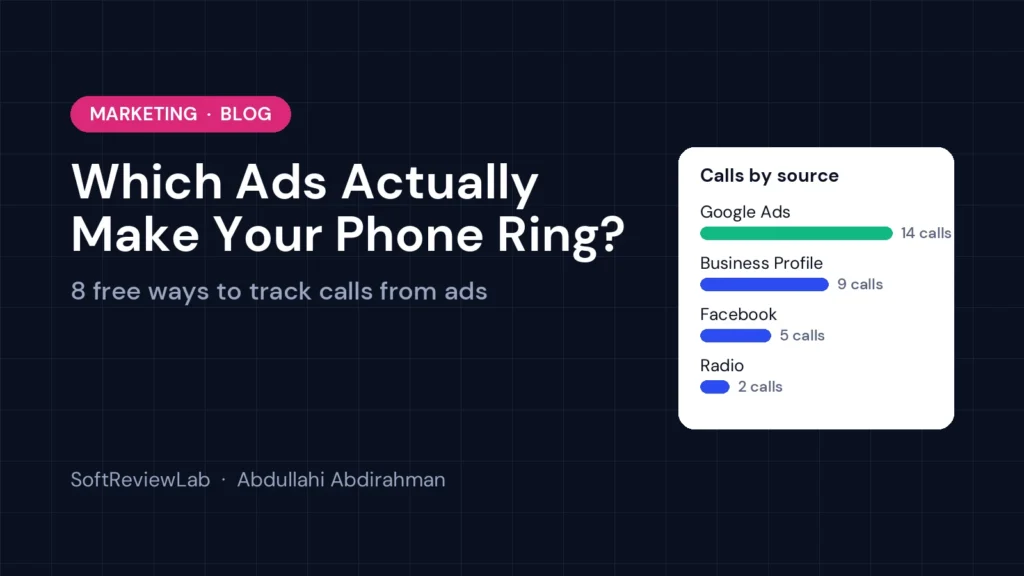
By Abdullahi Abdirahman, Founder & Editor, SoftReviewLab. Updated September 2026.
Disclosure: SoftReviewLab is a CallRail affiliate partner. This page contains affiliate links, and if you sign up through them, SoftReviewLab may earn a commission at no extra cost to you. See our affiliate disclosure.
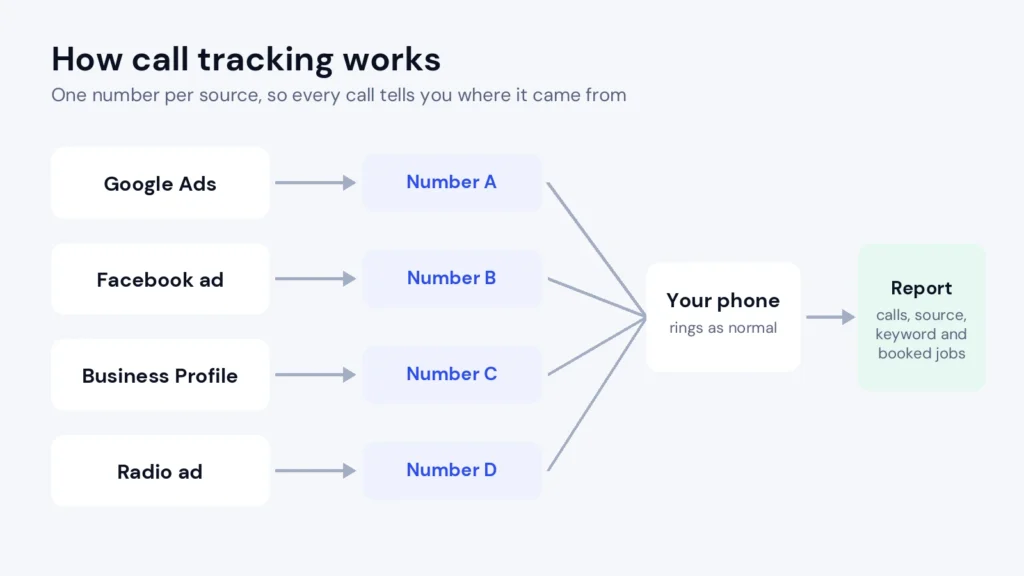
Short answer: to track phone calls from ads, give each ad or channel its own phone number and count the calls each number receives. You can start for free: ask every caller how they found you, use Google Ads’ built-in call reporting, check the call count in your Google Business Profile, and put a unique offer code in offline ads. When you run ads on more than one channel and need to know which keyword or campaign produced each call, a call tracking tool automates the whole process by showing each website visitor a unique number and recording where every call came from.
Below I explain why this matters, eight free ways to start today, what to measure, and when it’s worth paying for a tool.
If you run a plumbing company, a law firm, a dental practice or any business where customers pick up the phone, you have probably felt this: you spend money on Google Ads, Facebook, a local directory and maybe a flyer or radio spot. The phone rings. Business comes in. But when you open your ad dashboards, they show clicks and impressions, not the calls that actually paid your bills.
That gap exists because a phone call happens outside the website. Someone sees your ad, visits your site, writes down or taps your number, and calls. Your ad platform recorded the click; your phone recorded the call; nothing connects the two. So most small businesses end up making budget decisions on half the data.
The cost of that blind spot is real. You might cut a campaign that looks weak in clicks but produces your best phone bookings. You might keep paying for a directory listing that hasn’t produced a call in months. And when you hire an agency, you have no way of checking whether their work is driving calls or just traffic. Industries like home services, legal, healthcare and auto repair often get most of their new customers by phone, which makes this blind spot one of the most expensive in small business marketing.
You don’t need to buy anything to start learning where your calls come from. These methods cost nothing or very little, and together they give most small businesses a much clearer picture within a month.
The oldest method still works if you do it consistently. Train whoever answers the phone to ask “How did you hear about us?” and log the answer in a simple spreadsheet with the date, source and whether the call became a booking. The weakness is accuracy: callers often say “Google” without knowing whether they clicked an ad, a map listing or an organic result, and busy staff forget to ask. Treat it as a useful signal, not precise data.
If you advertise on Google, turn on call reporting. When you add a call asset (formerly called a call extension) to your ads, Google can show a forwarding number and report calls that come directly from your ads, including their duration. You can also set up a conversion for calls to the phone number on your website after someone clicks an ad. Google explains the options in its call conversion tracking guide. It’s free, but it only covers Google Ads traffic, availability varies by country, and it won’t record or transcribe calls.
For local businesses, a large share of calls come straight from the Google Business Profile, the listing that appears in Maps and local search. The profile’s performance section shows how many calls were made from it each month. Compare that number with your total call volume and you’ll quickly see how much your listing is worth, which tells you whether to invest more in reviews, photos and posts.
For flyers, radio, print, vehicle wraps and direct mail, give each campaign its own offer: “Mention code RADIO10 for 10% off”. When a caller uses the code, you know exactly which ad worked. It adds a small discount cost, but it is far more reliable than asking callers to remember where they saw you.
Many business phone systems let you add extra numbers cheaply. Put one number on your vehicles, another on your print ads and another in a directory listing, all ringing the same phone. Your call log then shows which number was dialled, which tells you which channel produced the call. This is the manual version of what call tracking tools automate, and it works well for a handful of offline channels.
On mobile, most people call by tapping your phone number. Make sure every number on your site is a clickable “tel:” link, then set up a click event for those links in Google Analytics, using Google Tag Manager. Combined with UTM tags on your ad links, you can see which campaigns lead to phone taps. The limitation is that a tap isn’t a completed call, and desktop visitors who dial manually aren’t counted, so treat it as a strong indicator rather than a call count.
Your phone bill or phone system shows how many calls you receive each day. When you start, pause or change a campaign, compare the two weeks before with the two weeks after. If calls rise when a campaign runs and fall when it stops, that campaign is probably working. It’s rough, and seasonality can fool you, but it costs nothing and catches big wins and big failures.
Meta and other social platforms let you run ads with a “Call now” button, and their reports show how many people tapped it. Like website tap tracking, this measures intent rather than completed conversations, but it tells you whether your social ads are producing phone leads at all.
Whichever free methods you use, record the results in one place. A spreadsheet with these columns is enough to start seeing patterns within a few weeks:
| Date | Caller | Source | Number dialled or code used | Reason for call | Booked? | Value |
|---|---|---|---|---|---|---|
| 3 Oct | New | Google Ads | Main website number | Emergency repair quote | Yes | $420 |
| 3 Oct | Returning | Business Profile | Listing number | Reschedule | N/A | – |
| 4 Oct | New | Radio | Code RADIO10 | Service plan | No | – |
At the end of each month, total the booked jobs and their value by source. Even this simple view often changes where businesses spend their next month’s budget.
Counting calls is only the first step. These are the numbers that actually help you decide where to spend:
Here is a simple example. Say you spend $1,200 a month on Google Ads and $400 on a local directory. Your tracking shows Google Ads produced 40 new calls, of which 12 booked, and the directory produced 8 new calls, of which 1 booked.
| Channel | Spend | New calls | Cost per call | Booked | Cost per customer |
|---|---|---|---|---|---|
| Google Ads | $1,200 | 40 | $30 | 12 | $100 |
| Directory | $400 | 8 | $50 | 1 | $400 |
Without call tracking, the directory might look reasonable because “the phone rings”. With it, you can see each customer from the directory costs four times as much as one from Google Ads, and you can move budget accordingly. These figures are an illustration, but the maths works the same with your numbers.
Every advertising channel produces calls in a slightly different way, so the best tracking method depends on where your ads run. Here is a quick guide to the most common channels for small businesses.
You don’t need to track every channel perfectly from day one. Start with the one where you spend the most money, prove whether it produces calls, and then extend the same approach to the next.
If you want a simple routine to follow, this plan uses only the free methods above and gives you real answers within a month.
At the end of the month, you’ll know which channels are clearly working, which clearly aren’t, and where the gaps in your data are. Those gaps are the best guide to whether you need a call tracking tool: if the answers you still can’t get are the ones that affect your biggest ad budgets, it’s time to automate. Keep the spreadsheet going even after you buy a tool, because booked jobs and their value are the simplest record of what each channel is really worth to your business.
The free methods above work well for a business with one or two channels. They start to break down in a few predictable situations:
If none of these apply yet, stay with the free methods. If several do, a call tracking tool will pay for itself quickly.
There are several good call tracking tools, and the right one depends on how your leads arrive. For businesses where phone calls are the main source of customers, the one I recommend looking at first is CallRail. It isn’t the only option, and I explain below who might prefer something else, but it solves this exact problem very well. If it sounds like a fit for your business and you want to test it, you can try CallRail free for 14 days here, or read our full CallRail review first if you want the complete picture.
CallRail is a call tracking and lead intelligence platform. It automates the “one number per source” idea behind every free method in this article, and adds the parts you can’t do by hand:
| The problem | How CallRail addresses it |
|---|---|
| Several channels at once | One report covering paid, organic, social, directories and offline ads |
| No keyword-level data | Dynamic number insertion ties each website call to its keyword and landing page |
| Good and bad calls look the same | Recordings and transcripts on every plan, with AI summaries and auto-tagging on higher plans |
| No proof of results | Attribution reports and conversions sent to Google Ads and Analytics |
| Missed calls | Voice Assist, an AI receptionist that answers, asks your questions and scores each lead |
| Manual spreadsheets | Every call logged automatically with its source and outcome |
If you rarely get phone calls, don’t run paid marketing, or only advertise on Google, the free methods above are probably enough. If your leads arrive through forms, chats and online sales as much as calls, and budget is tight, a lead-reporting tool like WhatConverts may suit you better; our CallRail vs WhatConverts comparison explains the differences. Plans start at around $50 a month, with usage fees on top; the review covers the details.
If CallRail sounds like a fit, you can start your free CallRail trial here. Want to know more before you decide? Our CallRail review covers every feature, real costs, pros and cons, and a 14-day test plan.
The basics are the same everywhere, but what you should watch most closely depends on your type of business:
Whichever tool you choose, these setup choices decide whether your data is trustworthy:
Give each ad or channel its own phone number, or its own offer code, and count the calls each receives. For website traffic, a call tracking tool shows each visitor a unique number and records which ad and keyword led to the call.
Yes. Google Ads offers free call reporting for calls from your ads and conversion tracking for calls to your website number after an ad click, where available. It only covers Google Ads traffic and doesn’t record calls.
Not if you set them up carefully. Show tracking numbers on your website through a script and keep your main business number consistent in your business listings, so search engines still see the same contact details everywhere.
Small business plans typically start between about $30 and $55 a month, plus usage fees for extra numbers and minutes. Our CallRail vs WhatConverts comparison shows real costs for a typical small business.
Often not at first. Google’s free call reporting covers calls from Google Ads. Call tracking software becomes worthwhile when you add more channels, need keyword-level detail, want recordings, or miss calls you want to recover.
Generally yes, but consent rules differ by state and country. Some places require all parties to agree. Use a short recording announcement at the start of calls where it is required, and check the rules where you operate.
The key takeaway: you can start tracking which ads make your phone ring today, for free, by giving each channel its own number or code and logging every call. When you run several channels and need keyword-level answers, recordings or help with missed calls, a call tracking tool like CallRail automates it. This page contains affiliate links; full details are in our affiliate disclosure.
Keep reading
Why posting on social media slips, how to fix each reason without paying, and how to use SocialBee when free schedulers stop being enough.
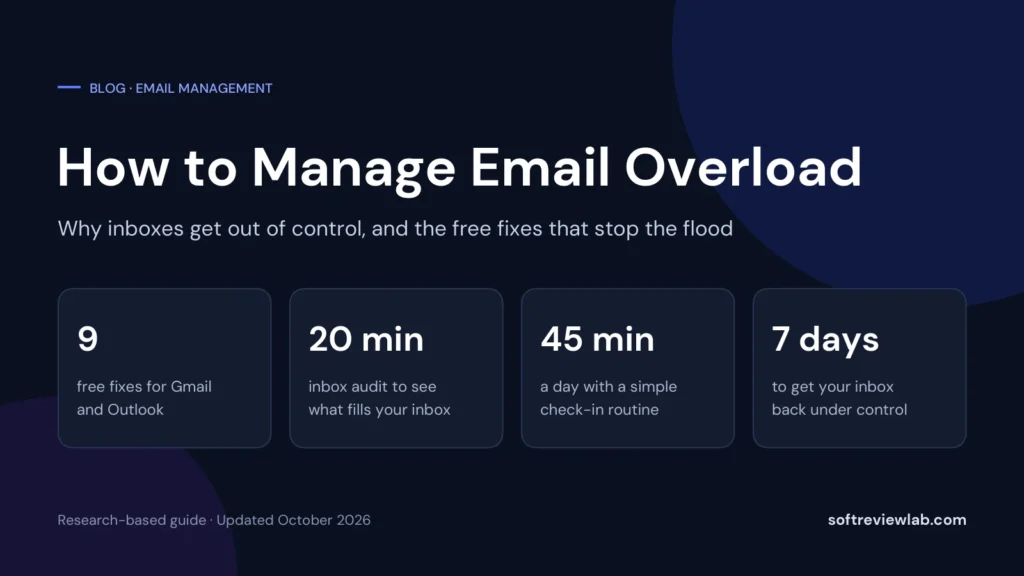
How to manage email overload: why inboxes get out of control, 9 free fixes for Gmail and Outlook, a daily routine, a 7-day plan,…
How to set up a welcome email series: 7 steps, a 5-email template you can copy, timings, free ways to run it, what to…