
ActiveCampaign Pricing 2026: What Each Plan Really Costs
ActiveCampaign’s published prices are billed yearly. Here is what each plan really costs by list size, how monthly billing and add-ons change the bill,…
Leads get lost when they are spread across inboxes, phones and memory. Here is how to track sales leads for free in one list, and when a CRM with reminders is worth paying for.

By Abdullahi Abdirahman, Founder & Editor, SoftReviewLab. Updated November 2026.
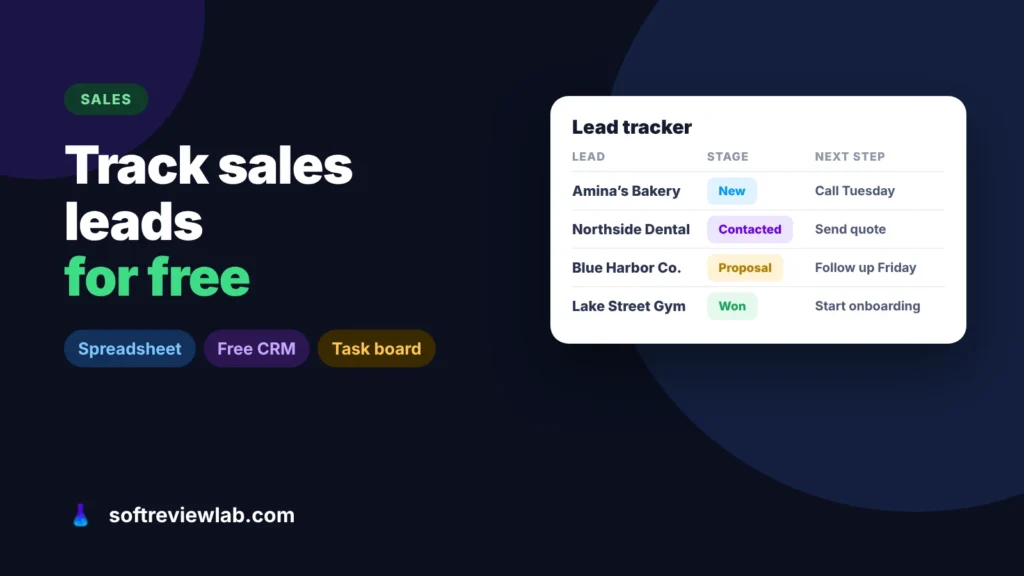
Short answer: if you are working out how to track sales leads for free, pick one of three tools: a shared spreadsheet, a free CRM plan, or a free task board. Whichever you choose, the method is the same: bring every lead from every channel into one list, record where it came from, give it a stage, and give every open lead a next step with a date. A spreadsheet is enough for one person with a handful of leads a week. A free CRM plan, such as HubSpot’s for up to two users or Zoho CRM’s for up to three, is better once you want email history and reminders. When several people share the leads and follow-up starts to rely on memory, a paid CRM with automatic reminders, such as monday CRM, is worth a look.
The free-plan limits come from each vendor’s own pages, checked in October 2026, the setup steps from Google’s help pages, and the monday CRM screens from my own monday.com trial.
Disclosure: SoftReviewLab is a monday.com affiliate partner. If you sign up through the monday CRM link on this page, we may earn a commission at no extra cost to you. See our affiliate disclosure.
Most small businesses don’t lose leads because they ignore them. They lose them because the leads are spread across five places: a website form in one inbox, a WhatsApp message on one phone, a missed call, a business card from an event and a comment on social media. Nobody can follow up on a lead they can’t see.
The second problem is memory. You know you promised someone a quote, but not when, and not whether you sent it. A lead tracker fixes both: one list of everyone who has shown interest, and a record of what happens next. If your problem is bigger, with several people sharing leads and deals going cold between them, my guide on how to stop losing leads as your team grows covers the team process.
Keep it short. A tracker with 20 columns doesn’t get filled in. These six fields are enough for most small businesses:
| Option | Free limits | Best for | Where it falls short |
|---|---|---|---|
| Shared spreadsheet (Google Sheets or Excel) | No limit that matters for a small business | One person, or two, with a handful of leads a week | No reminders, no email history, easy to break |
| Free CRM plan | HubSpot: free for up to 2 users; Zoho CRM: free for up to 3 users | Small teams that want contact history and reminders | Automation and reports are kept for paid plans |
| Free task board | Trello: up to 10 collaborators and 10 boards per workspace; monday.com work management: 2 seats, 3 boards, 200 items | People who think visually and move leads between columns | Not built for sales, so no email tracking or sales reports |
Start with the simplest option that covers how many people need access. Moving from a spreadsheet to a CRM later is easy: most CRMs import a spreadsheet, and Zoho, for example, lists free spreadsheet import on its pricing page.
Write down every channel: website forms, email, phone, WhatsApp, social messages, referrals, events and marketplaces. Most businesses find two or three channels they had forgotten. Each one needs a route into the tracker.
If you use Google Forms for enquiries, Google lets you save form responses to a spreadsheet, and Sheets puts every new response in a table automatically. Most website form plugins can also email each enquiry to one address, which you can then route in the next step.
In Gmail, create a filter that sends enquiry emails, for example anything from your contact form, to a label called Leads. Check that label daily and copy new leads into the tracker until you move to a CRM that does it for you.
Phone and WhatsApp leads are the easiest to lose, because they never reach an inbox. Add them to the tracker before the end of the day, even if it is only a name, a number and one line about what they want.
Ask every new lead how they heard about you, and write it down. For links you share in ads, newsletters or social posts, add tracking tags with Google’s free Campaign URL Builder, so your analytics show which post or campaign brought the visit. After three months, the source column tells you where to spend your time. If phone calls matter to you, my guide on how to track phone calls from ads covers the calls an analytics tool misses.
New, Contacted, Quote sent, Won, Lost. For Lost, add a short reason, such as price, timing or chose a competitor. Five stages are easy to keep up to date; ten stages usually aren’t.
Spend 15 minutes once a week going through every open lead. Each one should have a next step and a date. Anything without one either gets a next step or moves to Lost. This habit matters more than the tool you use.
A spreadsheet works until one of these starts happening:
The first step is a free CRM plan. My guide to choosing a CRM explains what to check before you commit, including what free plans leave out. When several people share leads and you need the software to do the remembering, a paid CRM is usually worth it, and monday CRM is the one I would start with.
monday CRM is the sales product from monday.com. Leads, contacts and deals each sit on a board, a deal is a row, and the columns hold details such as owner, stage, value and next step, so it looks a lot like the tracker described above.
monday.com says it captures leads from forms, email, your website and integrations into one board, and logs calls, emails and meetings against each record through its Gmail and Outlook integration. Automations can notify the owner when a date arrives or an item is overdue. In my own trial, a new account opened with Leads, Contacts, Accounts and Deals boards already set up, plus a sales dashboard, so the tracker described above maps onto it without building anything from scratch.
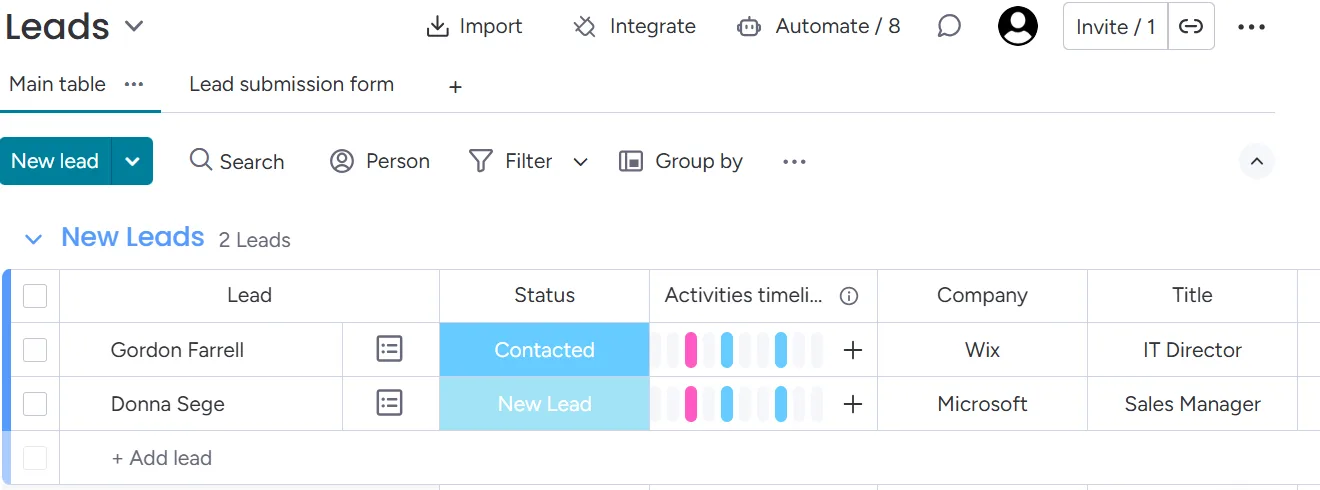
The next-step date is the field that keeps leads alive, and it is also the one a spreadsheet can’t act on. In monday CRM that date can trigger the reminder itself, so a follow-up no longer depends on someone opening the sheet. Check which plan includes the automations you need: monday.com’s pricing page doesn’t list custom automations on the CRM Basic plan.
Who should skip it: a solo owner with a few leads a week. A spreadsheet or a free CRM plan does that job for nothing. monday CRM also sells seats in groups with a minimum of three, so a team of one or two pays for seats it doesn’t use.
My monday.com review covers plans, limits and trade-offs. monday.com lists a 14-day trial with no credit card, so if it fits, you can try monday CRM free for 14 days with your own sheet.
If you try it, use the trial to answer one question: does it catch the follow-ups you are missing now? This order gets you a real answer before the trial ends.
Import your spreadsheet into a new leads board and keep the six fields from above. Testing on your real leads, not demo data, is what shows whether the board fits how you work.
Set up the automation that notifies the owner when a lead’s next-step date arrives. Run the trial on the plan you would actually buy, so you don’t rely on an automation the cheaper plan leaves out.
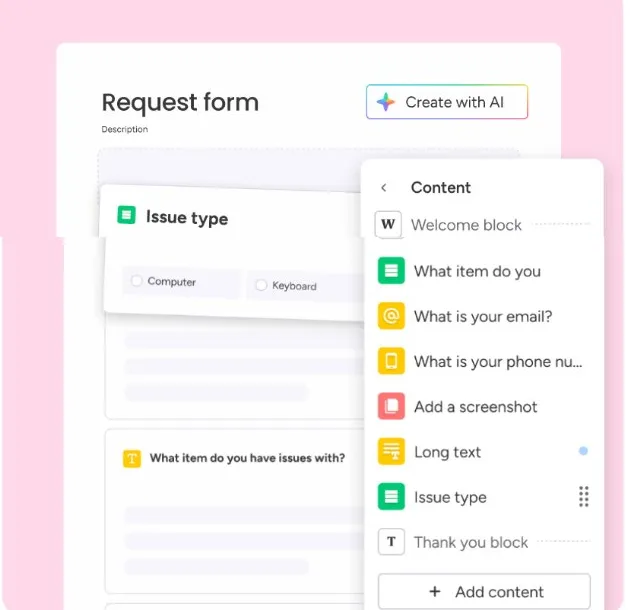
Point your website form at the board and connect Gmail or Outlook, so new enquiries and the emails you exchange with each lead arrive without copying anything by hand.
Stop updating the spreadsheet and run your weekly review from the board. Keep a simple count of the follow-ups the reminders caught that you would otherwise have missed.
If the count is real, the paid plan is earning its place. Then check the seats: with a minimum of three, a team of one or two may still be better off on a free CRM plan.
If you are weighing it against the best-known free option, monday CRM vs HubSpot CRM compares the two side by side.
If LinkedIn is one of your lead sources, my guide on getting B2B leads from LinkedIn shows a daily routine that feeds straight into a tracker like this.
Yes, and for one or two people it is often the best place to start. Share one sheet, keep the six fields above, and use filters to see open leads by next-step date. Move to a CRM when more people need to update it or you start missing follow-ups.
The free plans from HubSpot and Zoho CRM have no time limit, but they cap the number of users and keep most automation and advanced reporting for paid plans. Check how you would export your data before you put a year of leads into any free plan.
When the cost of a lost deal is higher than the subscription. In practice that is usually when several people share leads, follow-ups depend on reminders, or you need to see which sources bring in the most revenue.
Keep reading
ActiveCampaign’s published prices are billed yearly. Here is what each plan really costs by list size, how monthly billing and add-ons change the bill,…

Most happy customers never leave a review because nobody asks and nobody makes it easy. Here is how to get more Google reviews with…
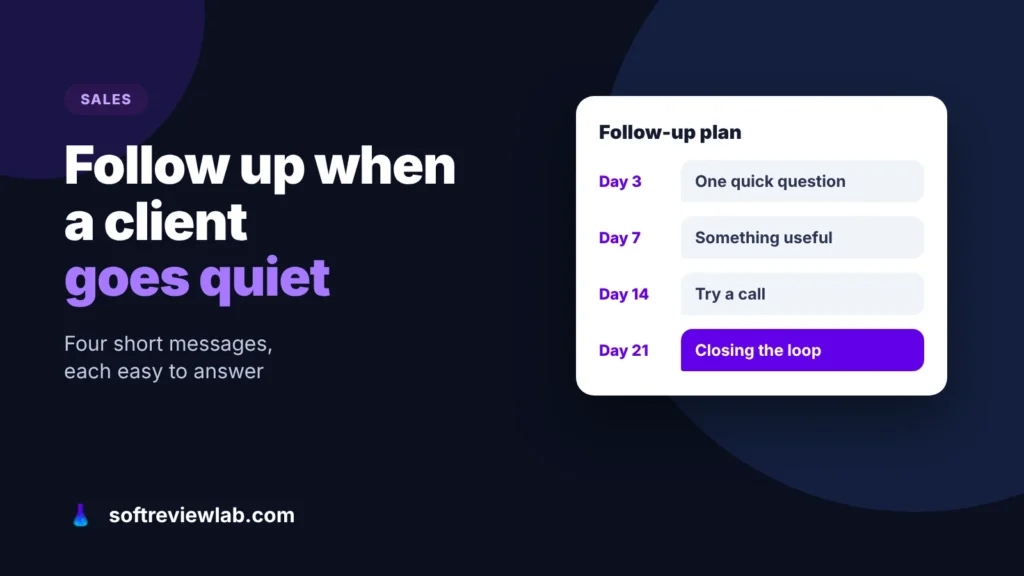
Most clients who go quiet are busy, not saying no. Here is a follow-up sequence that gets replies without annoying anyone, messages you can…