
AI Customer Support Chatbots: A Buyer’s Guide for Small Businesses
AI customer support chatbots explained for small businesses: 9 checks before you buy, real 2026 prices from 8 vendors, legal risks and a 14-day trial plan.
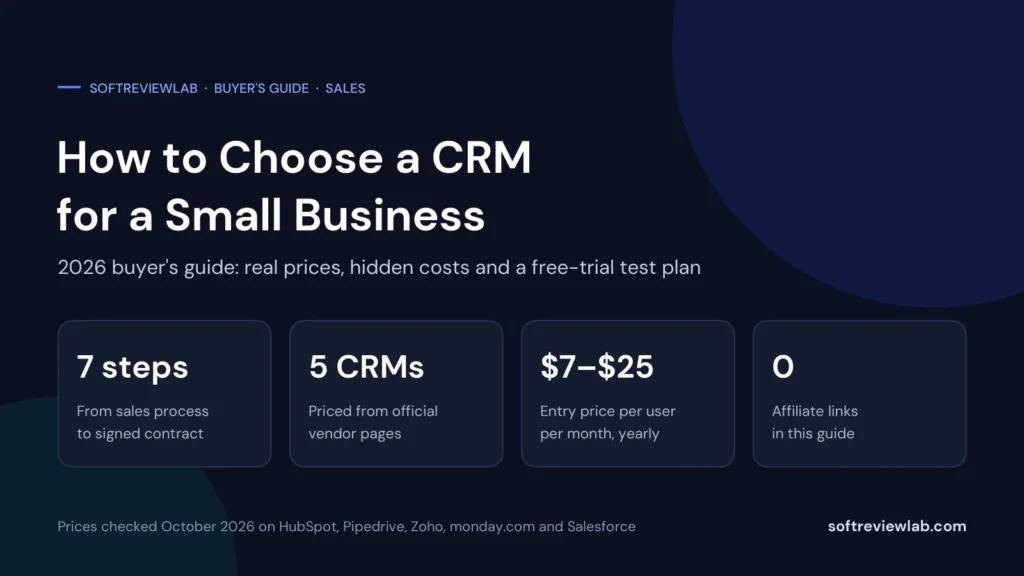
How to choose a CRM for a small business in 2026: 7 practical steps, real prices from 5 vendors, hidden costs to check and a free-trial test plan.

By Abdullahi Abdirahman, Founder & Editor, SoftReviewLab. Prices checked in October 2026 on each vendor’s official pricing page. This is a research-based buying guide: it draws on vendor plan pages and published data-protection guidance, not on a lab test of every CRM. It contains no affiliate links.
If you want to know how to choose a CRM for a small business, start with how you sell, not with a feature list. Write down the steps a lead goes through before it becomes a customer, count the people who will actually use the system every day, and then shortlist two or three CRMs that handle those steps on a plan you can afford for at least two years.
Most small businesses need five things from a CRM: one place for contacts and companies, a visual sales pipeline, email and calendar sync, simple automation for follow-ups, and reports that show what is in the pipeline. Everything else is a bonus. The price you pay depends mainly on the number of users, the plan tier you need for automation, and whether you are looking at a discounted first-year price.
CRM stands for customer relationship management. In plain terms, it is a shared database of the people and companies you sell to, with a record of every call, email, meeting and deal attached to each one. Instead of customer details living in inboxes, spreadsheets and people’s heads, everyone works from the same record.
A sales CRM usually organises work around a pipeline: a set of stages such as “new lead,” “meeting booked,” “proposal sent” and “won.” Each deal sits in one stage, so you can see at a glance what needs attention and how much revenue is likely to close this month.
You probably need a CRM if any of these sound familiar:
If you are a solo founder with a dozen active deals, a spreadsheet or a free CRM plan may be enough for now. Once two or more people share leads, or once you have more deals than you can track from memory, a proper CRM usually pays for itself in follow-ups that no longer slip.
The monthly fee is the smallest part of a bad CRM decision. The bigger costs are the hours spent importing data, building pipelines and training people, and then doing it all again when the tool doesn’t fit.
A common failure isn’t a missing feature. It is a CRM that the team stops using after a month because it feels like extra admin. When salespeople keep their real notes elsewhere, the CRM fills with half-finished records, the reports become unreliable, and the business is paying for software that doesn’t reflect reality.
That is why this guide puts ease of use, honest seat counts and a real trial ahead of long feature lists. A simpler CRM that your team actually updates beats a powerful one that nobody opens.
Before you look at any vendor, spend 30 minutes writing down how a customer moves from first contact to paid invoice. Keep it simple and use your own words.
This map becomes your test script later. It also tells you which features matter. A business that sells through phone calls needs call logging and call tracking; a business that sends quotes needs quoting; a business with one product and a short sales cycle may need very little beyond a pipeline and reminders.
If many of your leads arrive by phone, read my guide on finding out which ads make your phone ring. Call tracking tools can send call data into a CRM, which closes a gap that many small businesses have.
Almost every CRM charges per user, which vendors call a seat. That makes the seat count the biggest driver of your bill. Count only the people who will log in regularly to update deals, not everyone who might want to look at a report once a month.
Three seat details catch small businesses out:
My advice is to price your seat count for today and for 18 months from now. If you plan to hire two salespeople next year, the plan that looks cheap for three users may look very different for five.
CRM pricing pages list dozens of features. Most small businesses use a handful of them every day. Here is how I would split them.
AI features now appear on almost every CRM pricing page, from meeting recording and summaries to AI agents. They can save time, but judge them on one specific task you would use them for, not on the label. If you plan to send marketing campaigns from your CRM, my guide to choosing email marketing software explains when a CRM’s built-in email is enough and when a dedicated email tool is the better choice.
Two CRMs with the same headline price can cost very different amounts once you add your seat count, billing period and the plan you really need. These are the points to check on every pricing page.
Most vendors in this guide show a lower per-user price for yearly billing. Pipedrive says yearly billing saves up to 42 percent, and Zoho CRM says up to 34 percent. The trade-off is commitment: you pay for the year up front or sign a yearly contract. Salesforce lists its Pro Suite with annual contracts required.
When I checked, HubSpot showed Starter at $7 per seat a month on yearly billing, marked as a limited-time 65 percent discount, and $10 a month on monthly billing, marked as 50 percent off. HubSpot’s chat assistant told me that the regular reference price is $20 per seat a month, and said the length and eligibility of the promotion can vary by region, product, billing term and customer. Discounts like this are real savings, but budget with the regular price for year two.
Entry plans are usually cheap. The plan that adds proper automation, forecasting or email sequences often costs much more. On yearly billing, Pipedrive goes from $14 on Lite to $39 on Growth per seat, and HubSpot goes from Starter to $90 per seat on Professional. Check which plan contains the features from your must-have list before you compare prices.
A CRM is only as useful as the information flowing into it. List the tools that hold customer data today, then check that each one connects to the CRMs on your shortlist.
Check how each integration works, not just whether a logo appears on the integrations page. A two-way sync that updates both systems is very different from a one-way export you have to run by hand. Some integrations are also only available on higher plans. For example, my CallRail review covers how call tracking data can feed CRMs such as HubSpot and Salesforce.
Your customer list is one of your most valuable assets, so check how easily you can get it out before you put it in. Ask each vendor three questions: can I export all contacts, companies, deals and notes in a standard format, is there a fee for a full export, and what happens to my data if I cancel?
If you hold personal data about people in the European Union, the EU’s data protection rules apply to how you and your CRM vendor handle it. The European Commission’s data protection pages explain the basics. In practice, ask each vendor for its data processing agreement, where your data is stored, and how it handles access requests and deletion.
Also check user permissions. Even a five-person team often needs to limit who can export the full customer list or delete records. Some vendors keep detailed permission controls for their higher plans. HubSpot, for example, lists controls over which data users can access and edit on its Enterprise plan, so confirm what your plan includes.
Most CRMs offer a free trial or a free plan. Pipedrive and monday CRM list 14-day trials with no credit card required, Salesforce lists a free trial, Zoho CRM offers a free trial on its paid editions, which Zoho’s Ask Zia assistant told me lasts 15 days with no credit card required, and HubSpot has a free plan. Use that time for a structured test, not a quick look around.
At the end of the trial, ask the people who will use the CRM every day which tool they would actually keep updated. Their answer matters more than any feature comparison.
To show real numbers, I checked the official pricing pages of five widely used CRMs in October 2026. These prices are per user per month in US dollars. They are not a ranking, and they change often, so confirm them on each vendor’s page before you buy.
| CRM | Free plan | Entry paid plan | Next plan up | Billed monthly instead |
|---|---|---|---|---|
| Zoho CRM | Yes, up to 3 users | Standard $9 | Professional $16 | $14 and $24 |
| HubSpot | Yes, up to 2 users | Starter $7 (limited-time 65% off; up to 10 users) | Professional $90 | $10 (50% off) and $100 |
| monday CRM | No | Basic $12 (minimum 3 seats) | Standard $17 | $18 and $25 |
| Pipedrive | No | Lite $14 | Growth $39 | $24 and $49 |
| Salesforce | No | Starter Suite from $25 | Pro Suite from $100 (annual contract) | Starter: monthly or annual billing listed |
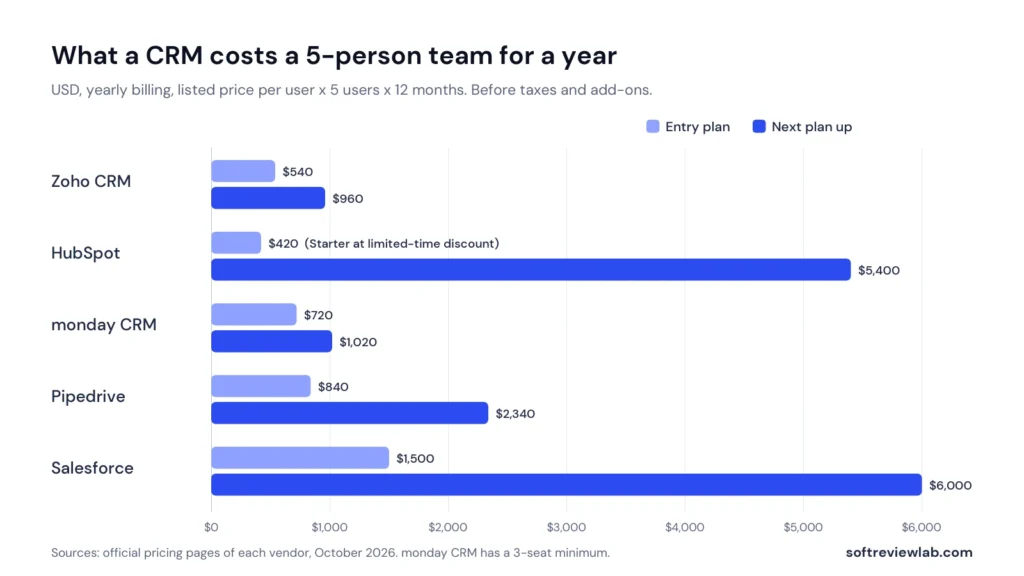
Here is what that means for a five-person team over a year on yearly billing, before taxes and add-ons:
| CRM | Entry plan, 5 users, 12 months | Next plan up, 5 users, 12 months |
|---|---|---|
| Zoho CRM | $540 | $960 |
| HubSpot | $420 at the discounted price ($1,200 at the $20 regular price) | $5,400, plus any onboarding fee |
| monday CRM | $720 | $1,020 |
| Pipedrive | $840 | $2,340 |
| Salesforce | $1,500 | $6,000 |
Two things stand out. First, the entry plans are close together, roughly $400 to $1,500 a year for five people. Second, the gap widens sharply on the next plan up, which is often where automation and better reporting live. That is why Step 3 matters: if your must-have list fits on an entry plan, you save a lot of money.
Zoho also sells a broader bundle, Zoho CRM Plus, which adds marketing, customer service and other modules. It was listed at $39 per user per month on yearly billing and $48 on monthly billing.
CRMs fall into a few broad types. Knowing which type you need narrows the list quickly. This grouping is my editorial judgment based on how each vendor describes and packages its product.
| Type | Good for | Examples from this guide |
|---|---|---|
| Pipeline-first sales CRM | Small sales teams that live in a deal pipeline and want a simple daily view | Pipedrive |
| All-in-one customer platform | Businesses that want sales, marketing and service tools from one vendor | HubSpot, Zoho CRM Plus |
| Flexible work platform with CRM | Teams that also manage projects or operations and like customisable boards | monday CRM |
| Broad, highly customisable CRM | Businesses that expect complex processes, many users or heavy customisation later | Salesforce, Zoho CRM higher editions |
| Very simple starter CRM | Businesses moving off spreadsheets for the first time | Bigin by Zoho CRM, free plans from HubSpot and Zoho |
These are the five CRMs I used for the pricing comparison, with a short note on who each one tends to suit. The links below go to each vendor’s official pricing page, and none of them are affiliate links. For monday CRM, my monday.com review and my monday CRM vs HubSpot CRM comparison go into more detail.
This is not a complete list, and none of these vendors pay to appear here. Apply the steps in this guide to any CRM you are considering, including ones not listed.
A free CRM plan is a sensible starting point if you have one or two people selling, a modest number of active deals and no need for automation yet. HubSpot’s free plan lists up to 2 users and Zoho CRM’s Free Edition lists up to 3 users, with leads, deals, workflows, reports and a mobile app.
Free plans stop being enough when you need more users, automated follow-ups, email sequences or reports you can customise. Before you rely on a free plan, check what happens when you outgrow it: which paid plan you would move to, what it costs for your team, and whether your data and setup carry over without rework.
A good rollout matters as much as the choice of tool. Keep the first month simple:
Holding a weekly meeting that runs from the CRM is the simplest way to keep it up to date. If the numbers on screen are wrong, people quickly learn to update their deals. Once the basics stick, my guide to email marketing automation workflows has ideas for follow-ups that connect your CRM and email.
The buying steps reflect what I look for when I assess business software, explained in our research and scoring method. Statements about which type of CRM suits which business are my editorial judgment, not vendor claims.
What I couldn’t verify: the exact onboarding fee for HubSpot’s sales-focused Professional plans, which HubSpot says depends on the package and quote, and how each vendor’s limits and support work in day-to-day use. Zoho CRM’s 15-day trial length comes from Zoho’s Ask Zia assistant, not from a published pricing page, so confirm it when you sign up. Ask the vendor directly before you buy.
Related reading: monday CRM vs HubSpot CRM and how to stop losing leads and deals.
There isn’t one best CRM for every small business. The right choice depends on how you sell, how many people will use it and which features you need. Map your sales process, count your users, shortlist two or three CRMs that fit, and test them with real work during a free trial.
Based on official pricing pages checked in October 2026, entry plans for the five CRMs in this guide range from about $7 to $25 per user per month on yearly billing. For a five-person team, that is roughly $400 to $1,500 a year on an entry plan, and more on plans with advanced automation.
Look for contact and company records, a visual deal pipeline, email and calendar sync, tasks and reminders, basic reports, a usable mobile app and easy data export. Automation, email sequences and forecasting are worth paying for once your team grows.
A small business can usually have a working CRM within a week by importing clean data, setting up pipeline stages and connecting email and calendar. Plan for about a month before the team uses it consistently and the reports become reliable.
Yes, but it takes work. You will need to export your contacts, deals and history, map the fields to the new system and retrain your team. Testing a full data export before you buy makes a future switch much easier.
How this guide was put together. Built from vendor documentation and pricing pages, and from recurring themes in public customer reviews — not from a hands-on lab test. Prices move; confirm on the vendor’s own page before you buy. How we work.
Keep going
AI customer support chatbots explained for small businesses: 9 checks before you buy, real 2026 prices from 8 vendors, legal risks and a 14-day trial plan.
How to choose AI tools for a small business in 2026: 7 practical steps, real prices from 4 vendors, data privacy checks and a one-week trial plan.
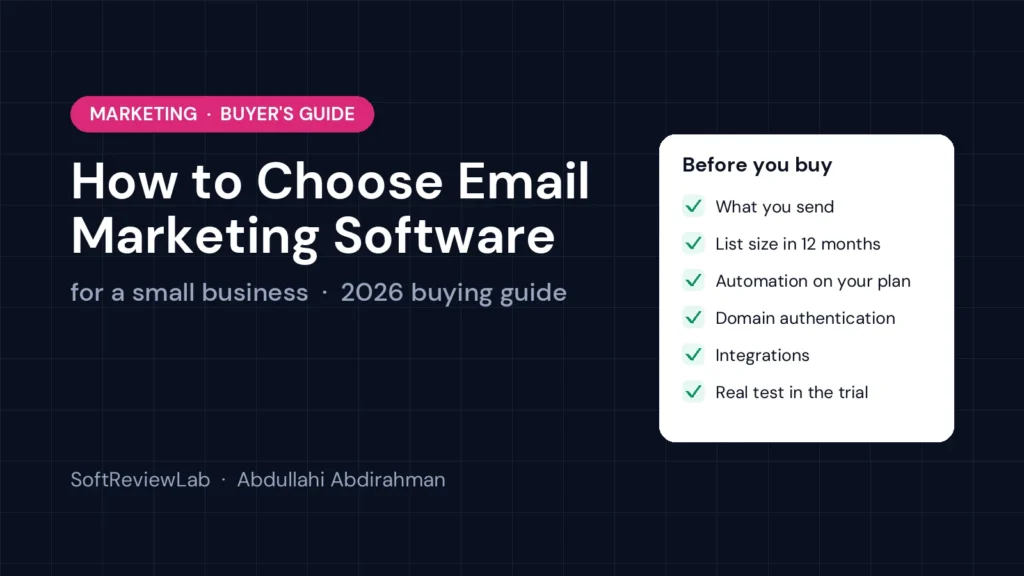
A practical 6-step guide to choosing email marketing software for a small business: what to check, what it really costs, and how to test tools before you commit.