
How to Respond to a Negative Google Review (With Examples)
A negative review is read by every customer who comes after it. Here is how to respond to a fair complaint, a review that…
How much does a business website cost per year? Real 2026 prices for hosting, domain, email and payment fees, three worked budgets, why costs rise after year one and how to keep them down.

By Abdullahi Abdirahman, Founder & Editor, SoftReviewLab. Updated October 2026.
Short answer: how much does a business website cost per year? A typical small business website on WordPress costs about $130 to $310 to run in its first year and about $235 to $475 a year from the second year, using real 2026 prices. The second year costs more because hosting renews at its full price and the free domain starts charging. The costs that matter are hosting, the domain, business email and, if you sell online, payment fees. SSL certificates, backups and a CDN can all be free. Budget on the renewal price, not the first-year offer, and the bill will not surprise you.
Prices come from each provider’s pricing page, checked in October 2026, and from my own Hostinger account, which runs this site. The budgets are worked examples with every calculation shown, so you can swap in your own numbers. Disclosure: SoftReviewLab takes part in Hostinger’s referral program, so we may earn a commission if you sign up through a link on this page, at no extra cost to you. See our affiliate disclosure.
| Item | Typical cost | Notes |
|---|---|---|
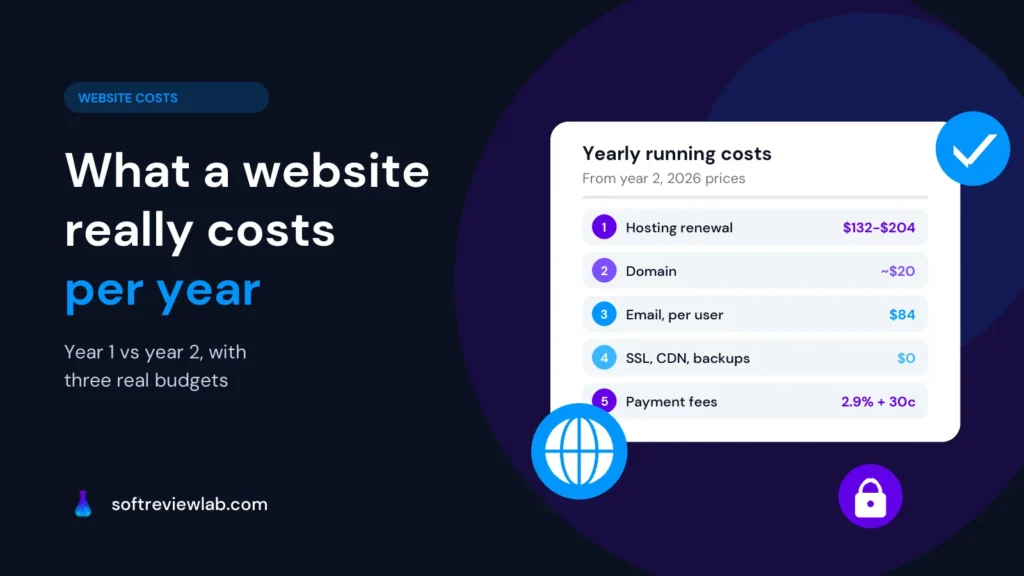
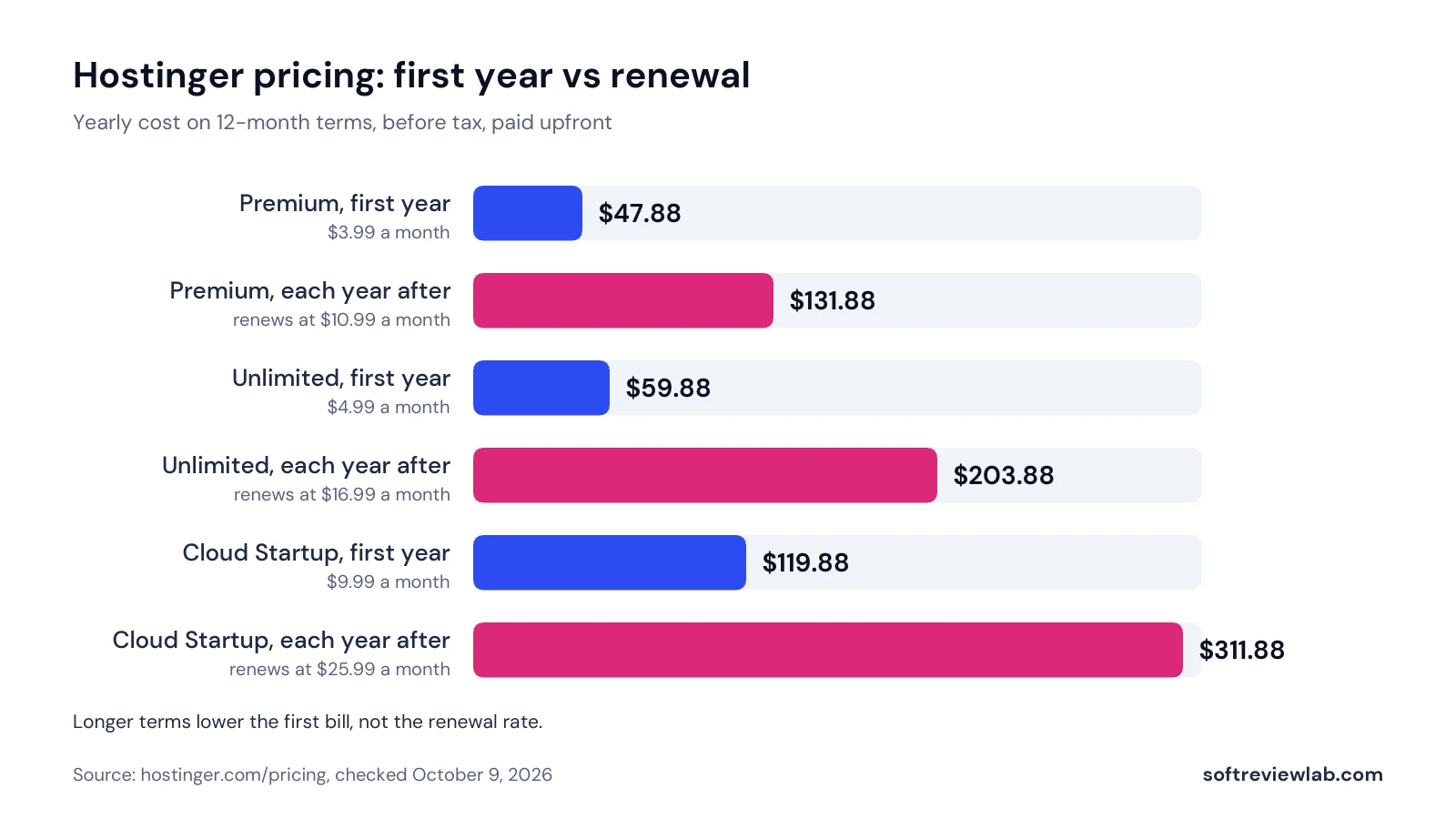
| Web hosting | $131.88 to $203.88 a year at renewal | Hostinger Premium renews at $10.99 a month and Unlimited at $16.99. First-term prices are lower. |
| Domain name | $0 in year 1, then about $20 a year | Free for the first year with most hosting plans. My .com renews at $19.99. |
| Business email | From $84 per user a year | Google Workspace Business Starter and Microsoft 365 Business Basic both start at $7 per user a month. |
| SSL certificate | $0 | Free SSL is included with most hosting plans; a paid certificate adds little for a typical small business site. |
| Backups | $0 to a few dollars a month | Daily backups are included on Hostinger Unlimited; weekly on Premium. |
| CDN | $0 | Included on some hosting plans, or free through Cloudflare. |
| Theme and plugins | $0 and up | Free options cover most small business sites. Check renewal prices before you rely on a paid plugin. |
| Payment fees, if you sell | 2.9% + 30¢ per sale | Stripe’s standard US rate for domestic cards. |
Each budget uses a 12-month hosting term, so the jump at renewal is easy to see.
Hostinger Premium on a 12-month term, a .com domain and one Google Workspace Business Starter user.
Hostinger Unlimited on a 12-month term for daily backups and a CDN, a .com domain and three Google Workspace users.
Here email is the biggest cost, not hosting.
The same setup as budget 2, plus payment fees, which depend on your sales. $2,000 of sales a month from 40 orders of $50 costs 2.9% of $2,000, which is $58, plus 40 × $0.30, which is $12: $70 a month, or $840 a year. That makes the shop about $1,316 a year from year 2, and most of it grows with your sales.
If your hosting bill jumped or a domain charge appeared twelve months after launch, nothing went wrong: both are priced to look cheap in year one.
Hosting is sold at a low first-term rate and renews at a much higher one. On Hostinger, renewals are about 2.5 to 4 times the first-term price, depending on the plan and term, and every term is paid upfront. So judge a plan by its renewal price, not the offer: if the renewal is too high for you, the plan is too expensive, however cheap the first year looks. A longer term holds the low price for longer (Hostinger Unlimited is $4.99 a month on a 12-month term and $3.99 on 48 months), and starting on the plan your real traffic needs, then upgrading when your dashboard shows you are close to its limits, stops you paying for room you don’t use.
If your current host renews at a price you won’t pay, move a few weeks before the renewal date, not after it. My guide on moving a website to a new host without downtime shows how to do it safely.
The domain is usually free for the first year only, then renews at the normal price. Note its renewal date on the day you register it: letting a domain you use expire costs far more than renewing it. If you change hosts, keep the domain where it is and point it to the new host, which avoids transfer costs and work you don’t need.
The other costs grow quietly, and both can be cut without paying for anything.
Email licences. Business email from Google or Microsoft is priced per person, so a team of five pays five times, which is how email overtook hosting in budget 2. Count real users before you buy licences: a shared address such as info@ or orders@ can often be a free alias or a group rather than a paid user. If you don’t need the Google or Microsoft apps, the mailboxes that come with many hosting plans may be enough.
Add-ons and plugins. Free trials of email, marketing tools and other extras can renew automatically, and paid plugins renew every year whether you still use them or not. Check your billing page on the day you sign up and switch off auto-renewal on anything you don’t plan to keep. Don’t buy SSL, a basic CDN or backups that your plan or Cloudflare’s free plan already covers, and before each renewal ask whether a paid plugin still earns its cost. Unused plugins also slow your site down, as I explain in why a website is slow and how to fix it.
All-in-one builders such as Squarespace and Wix include hosting in one subscription. Squarespace’s Basic plan, for example, is $19 a month billed yearly, or $228 a year, before business email, according to its pricing page in October 2026. That is more than hosting plus WordPress at renewal on Hostinger Premium, but the builder handles updates and security for you. If you would rather pay more and do less, a builder is a fair choice. If you want the lowest running cost and full control, hosting with WordPress usually costs less. Price is only one part of that choice; my guide on how to choose a CMS for a business website covers the rest. Hostinger also sells its own website builder next to WordPress hosting, and our Hostinger Website Builder vs WordPress comparison shows how the two differ on the same host.
Whichever route you take, most of the bill depends on the host: what it includes for free, how it prices renewals and how easily you can see and control what renews. Hostinger, which runs this site, is the host I would pick for a cost-conscious small business.
Hostinger is a web hosting company that runs websites for small businesses, freelancers and agencies. Its web hosting plans include WordPress, a free domain and business email for the first year, free SSL and its own control panel, hPanel, where you manage the site, email, domains and billing in one place. I have hosted my websites with Hostinger since 2023, including this one.
Sponsored

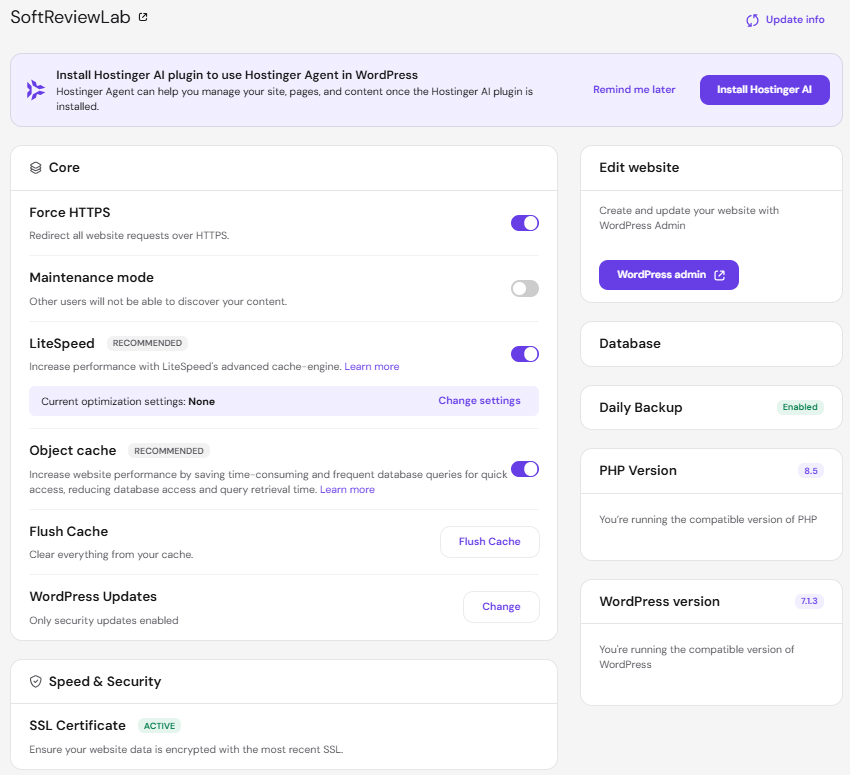
You choose a plan and a term, pay for the whole term upfront, and Hostinger sets up WordPress for you. Everything after that happens in hPanel: you can see your site’s status, speed and resource use, run backups, manage email and see every bill in one place.
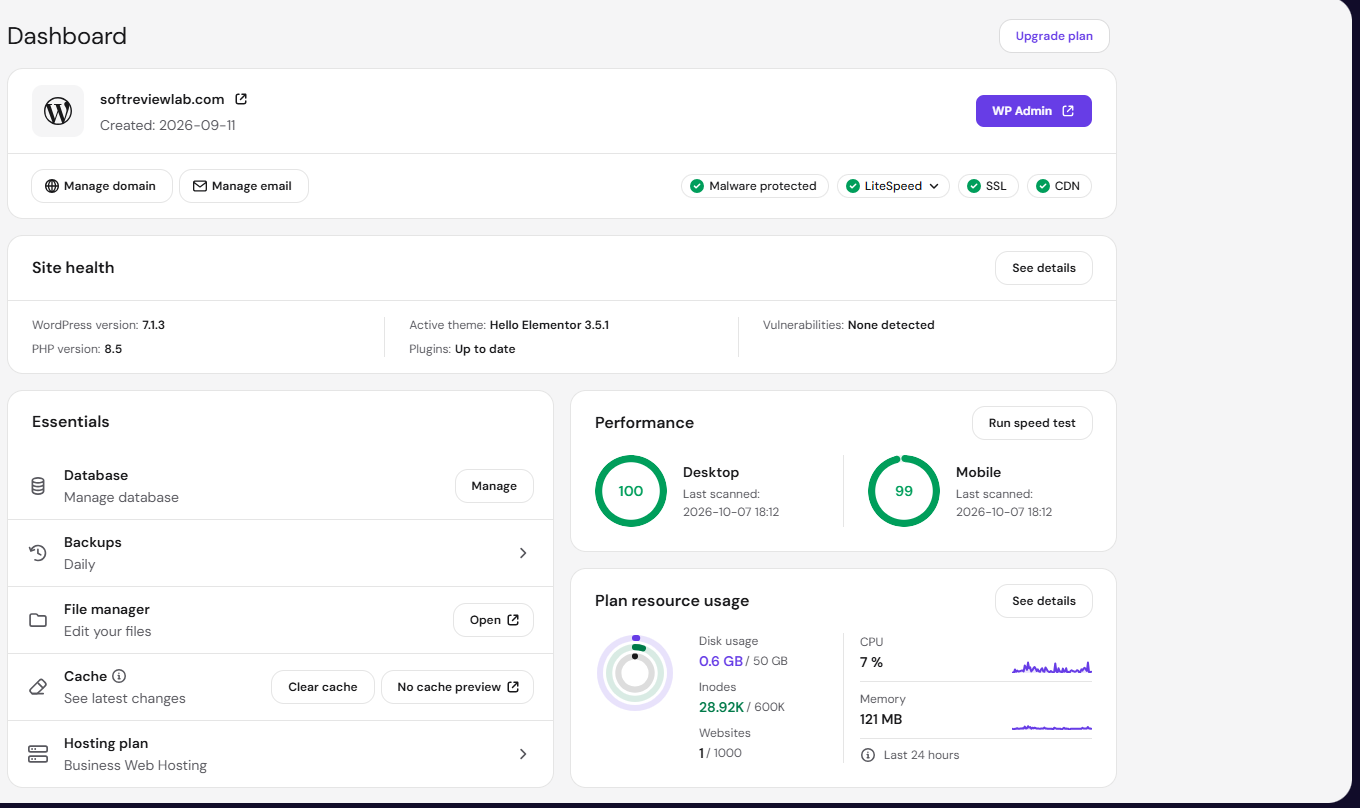
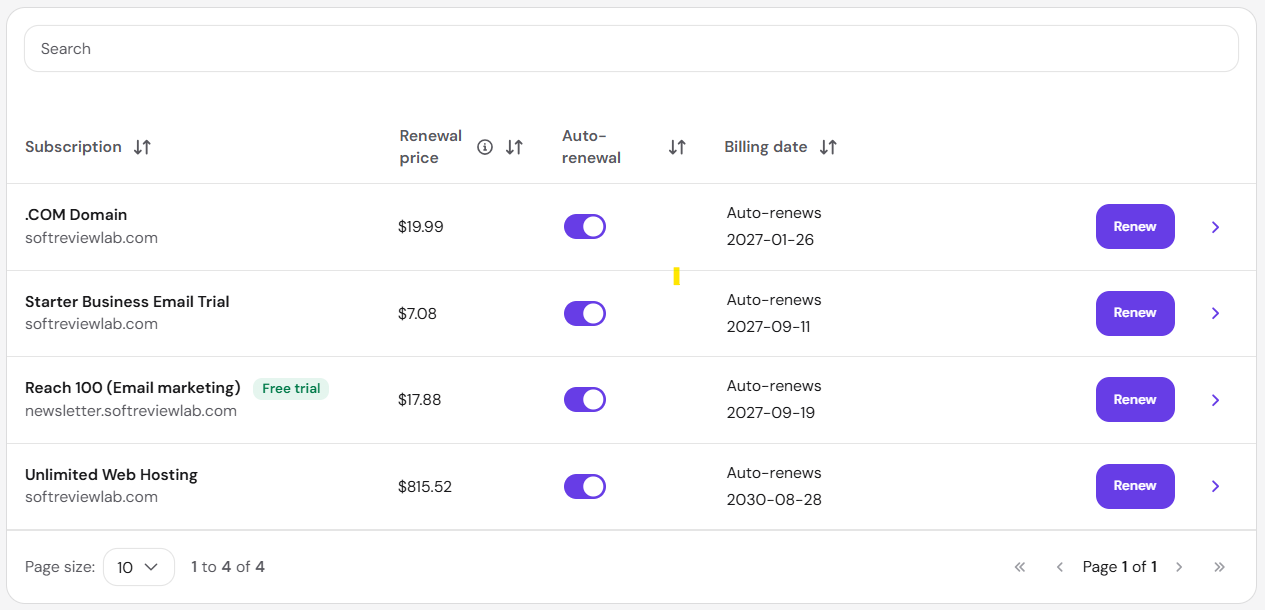
Hostinger doesn’t make renewals cheap, but it makes them visible and easy to control. Business email is free for the first year, SSL and backups are included (with a CDN on Unlimited), and every service, including the domain, shows its renewal date and price and has its own auto-renewal switch. The steps below show where to find each of these.
The honest catch is the one covered above: renewals cost far more than the first term and every plan is paid upfront, which is why the budgets use renewal prices. Hostinger also offers a 30-day money-back guarantee; when I tested it, the hosting was refunded, but the free domain’s cost was deducted because a registered domain stays registered.
If the numbers work for your business, you can see Hostinger’s plans with the 20% referral discount you are invited to use. For plans, speed, support and who should skip it, read my full Hostinger review.
Compare each plan’s first-year cost with its yearly renewal, and choose the plan that covers your real needs on the longest term you are confident about.
Before you buy a backup service, a cache plugin or an SSL certificate, check what hPanel shows for your site.
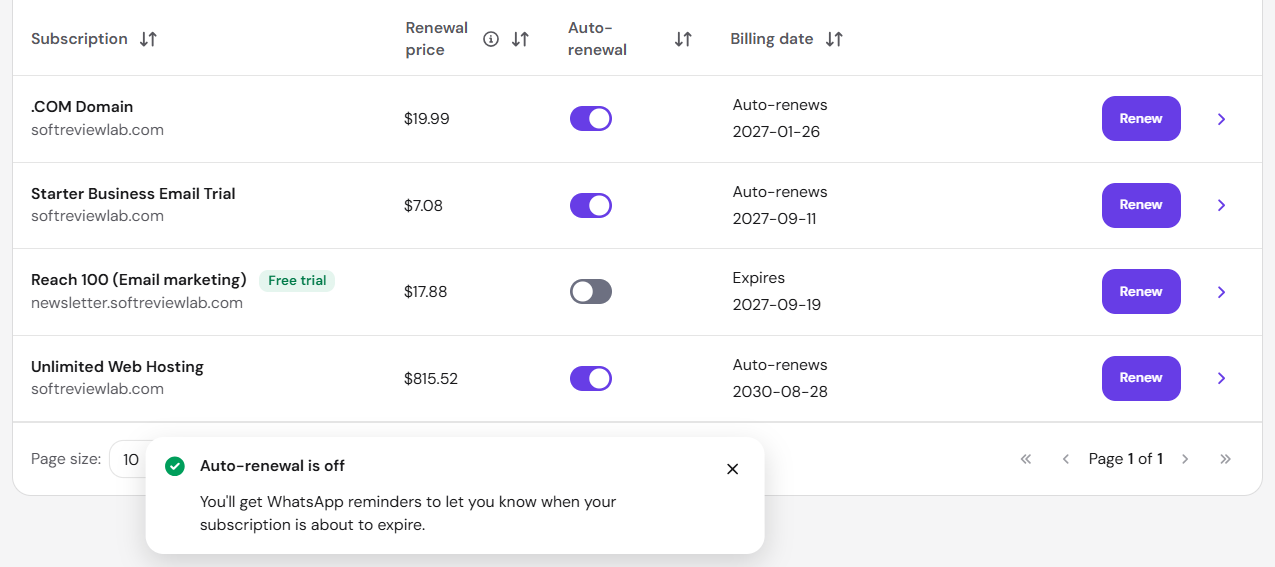
The subscriptions page lists each service with its renewal date and price. Turn off auto-renewal for trials and extras you don’t plan to keep, since each one keeps working until its end date, then copy the remaining renewal dates into your calendar so every renewal is a decision, not a surprise.
Your website is only one line in the software budget. My guide to the small business software stack shows what to pay for first when money is tight.
Keep reading
A negative review is read by every customer who comes after it. Here is how to respond to a fair complaint, a review that…
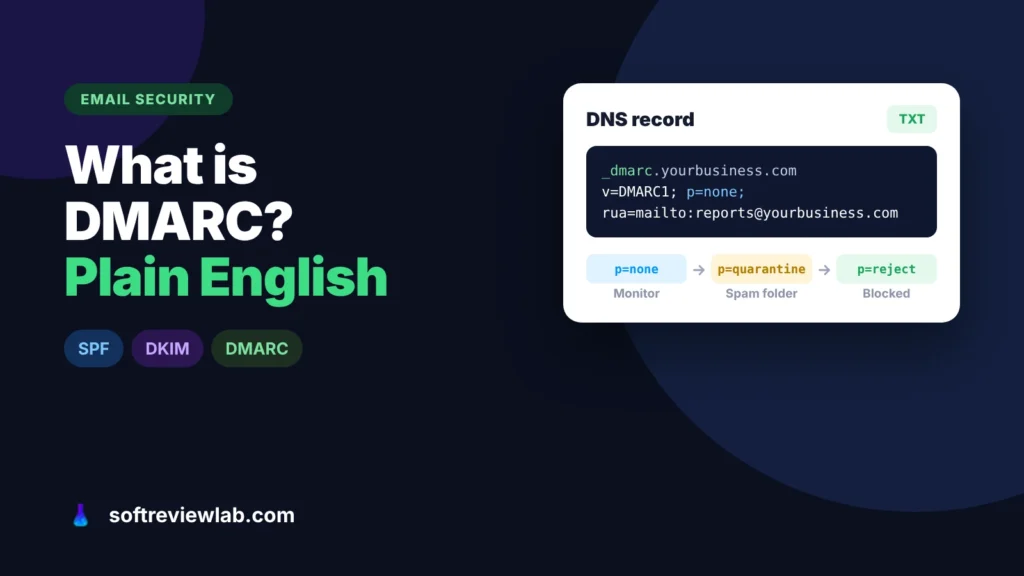
DMARC tells Gmail and Outlook what to do with email that pretends to come from your domain. Here is what it does, why small…
A site missing from Google is either not indexed or not ranking, and each has a different fix. Here is how to tell which…