

How to Choose a CMS for a Business Website in 2026
How to choose a CMS for a business website: compare WordPress, Squarespace, Wix, Shopify and Webflow on cost, editing, exit options and fit, with 2026 prices.

By Abdullahi Abdirahman, Founder & Editor, SoftReviewLab. Updated October 2026. Prices were checked this month on each vendor’s own pricing page and are in US dollars. This guide draws on those pages and on our own reviews and buyer’s guides.
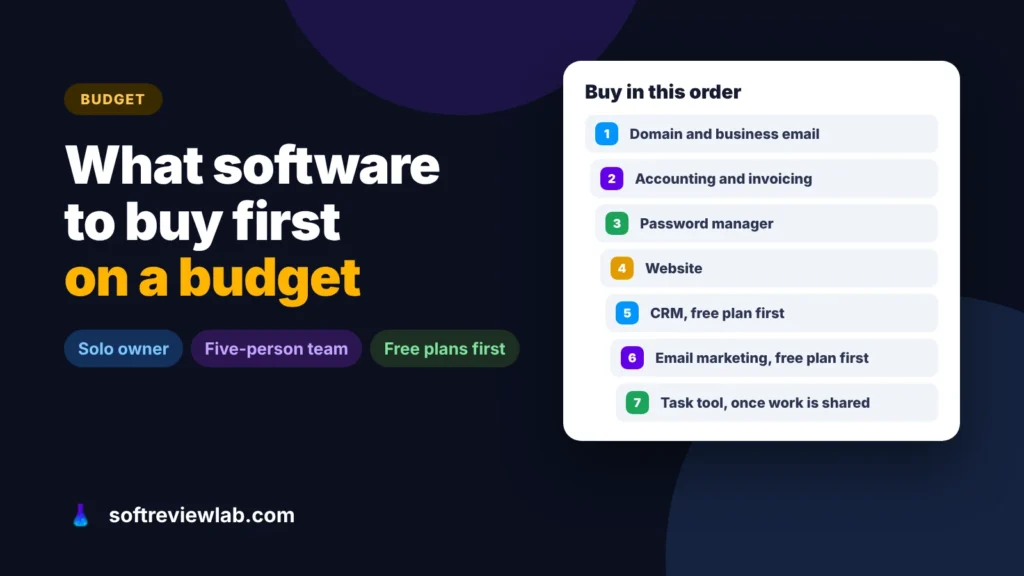
Short answer: a small business software stack should be bought in this order: a domain with business email, accounting and invoicing, a password manager, a website, then a CRM, email marketing and a task tool, each on a free plan until you hit a specific limit. AI tools, chatbots and other specialist software come last, once you can name the problem they solve. Bought this way, a solo owner can run on about $236 a year after the first year, and a five-person team that pays for every tool spends about $2,070 a year, or roughly $34 per person a month.
Most small businesses don’t overspend on one big tool. They overspend on many small ones: a subscription started for a trial that never ended, a project tool nobody opened after week two, a CRM bought before there were leads to put in it. Each looks cheap at $10 or $20 a month. Together they become a monthly bill nobody can explain.
Buying in a set order fixes that. The tools that protect your money, your customers and your reputation come first. The tools that save time come next, starting on free plans. The tools that promise growth come last, when you know exactly what you need from them.
An address like name@yourcompany.com is the cheapest trust signal you can buy. Customers take it more seriously than a free webmail address, and it lets you set up the email authentication that keeps your messages out of spam folders, which I explain in why your website emails go to spam.
Google Workspace Business Starter and Microsoft 365 Business Basic both start at $7 per user a month, and both include video calls, shared documents and file storage. That means you don’t need a separate video or file-sharing tool on day one. A .com domain costs around $20 a year: mine renews at $19.99.
This is the tool that touches your money, so get it in place before your first invoice, not at tax time. Ask your accountant which software they use before you choose, because working in the same system saves hours, and often fees, at year end.
Budget on the regular price, not the first three months. A sole trader sending a handful of invoices a month can start on Wave for free. Once you have staff, stock or an accountant who works in QuickBooks or Xero, that changes.
The day a second person needs access to your bank, your domain or your social accounts, passwords start getting shared in chat messages and spreadsheets. A password manager stops that. Bitwarden is free for an individual, and its Teams plan is $4 per user a month, billed yearly, for shared vaults and an activity log. Turn on two-step verification for your email, bank and domain accounts on the same day: it costs nothing.
For most small businesses, a simple site with your services, prices, location and a contact form is enough to start. Hosting with WordPress is the cheapest way to run one over time, while an all-in-one builder costs more but needs less upkeep. My guide to choosing a CMS covers that decision, and Hostinger Website Builder vs WordPress compares the two options on one host. For the full yearly bill, including domain and email, see what a business website really costs to run per year.
You need a CRM when leads start slipping: an enquiry nobody answered, a quote nobody followed up. Until then, a well-kept inbox can work. HubSpot’s free CRM covers up to 2 users and Zoho CRM’s free plan up to 3. When you outgrow them, Zoho CRM Standard is $9 per user a month on yearly billing, and HubSpot Starter was on a limited-time discount when I checked. My CRM buyer’s guide compares five CRMs on price and fit, and how to stop losing leads covers the habits that matter more than the software.
Your customer list is the one marketing channel you own. Start collecting emails early, even before you have much to send. Mailchimp’s free plan covers up to 250 contacts and 500 sends a month, with no more than 250 a day. Its Essentials plan is $13 a month for 500 contacts. My guide to choosing email marketing software explains what to compare as your list grows, and my Mailchimp review covers where the free plan stops.
A solo owner rarely needs project software: a calendar and a to-do list do the job. Once two or more people share tasks, a shared board saves the daily “where are we on this?” messages. Trello is free for up to 10 collaborators per workspace, with 10 boards and files up to 10 MB, and Standard is $5 per user a month billed yearly or $6 monthly. monday.com’s free plan covers 2 seats, 3 boards and 200 items, and its paid plans start at a minimum of 3 seats, as I explain in my monday.com review.
Sponsored

Free plans are the backbone of a tight budget, but each one has a ceiling. Knowing it in advance tells you when you will start paying, so the bill doesn’t surprise you.
| Tool | Free plan covers | You start paying when |
|---|---|---|
| Wave | Unlimited invoices, estimates, bills and bookkeeping | You want automatic bank import or receipt capture (Pro) |
| HubSpot CRM | Up to 2 users | A third person needs the CRM, or you need sales automation |
| Zoho CRM | Up to 3 users | A fourth person joins, or you need more than the basics |
| Mailchimp | 250 contacts, 500 sends a month | Your list passes 250 contacts |
| Trello | 10 collaborators, 10 boards per workspace | You need more boards, larger files or advanced views |
| monday.com | 2 seats, 3 boards, 200 items | A third person joins (paid plans start at 3 seats) |
| Bitwarden | One person | You need to share passwords with a team (Teams) |
Here are two real budgets, using the regular prices listed above.
A website on Hostinger’s Premium plan, a .com domain and one Google Workspace user, with free plans for everything else: Wave, a free CRM, Mailchimp’s free plan, Bitwarden for one person and a calendar for tasks. That costs $131.88 in the first year and $235.87 a year after, as I break down in my website running cost guide. That is under $20 a month.
| Job | Tool and plan | Per year |
|---|---|---|
| Email and documents | Google Workspace Business Starter, 5 users at $7 | $420.00 |
| Accounting | Wave Pro, yearly billing | $190.00 |
| Passwords | Bitwarden Teams, 5 users at $4 | $240.00 |
| CRM | Zoho CRM Standard, 5 users at $9 | $540.00 |
| Email marketing | Mailchimp Essentials, 500 contacts at $13 | $156.00 |
| Tasks | Trello Standard, 5 users at $5 | $300.00 |
| Website | Hostinger Unlimited at its $16.99 renewal price, plus a .com domain | $223.87 |
| Total | All seven jobs | ;; $2,069.87 |
That is about $172 a month for the whole team. Swap Wave Pro for QuickBooks Essentials at $85 a month and the total rises to $2,899.87, because accounting becomes the biggest line on the bill. Note that Essentials covers three users, so check how many people actually need access to the books.
Most teams won’t need every paid plan on day one. Keep tools on free plans until a limit in the table above actually gets in the way, and the real bill sits somewhere between these two examples.
These tools can be worth their price, but only once you can name the problem they solve and how you will measure it:
Monthly at first, yearly once you are sure. Yearly billing is usually cheaper, often by about two months’ worth of fees. But a yearly plan you stop using is money you rarely get back, so earn the discount by proving the tool works for you first.
It depends on how many of its apps you will really use. A suite gives you one login, one bill and data that flows between apps. Separate tools let you pick the best option for each job and leave one without leaving everything. For most teams under ten people, a few well-chosen tools on free or entry plans cost less than a suite they only half use.
Yes, if you treat the data as your own. Turn on two-step verification, make sure more than one trusted person can access the account, and check that you can export your contacts, invoices and files. The risk with free plans is rarely security. It is that limits change, so keep your data in a form you can take elsewhere.
Prices move. Confirm the current price on the vendor’s own page before you buy. How we work.
Keep going
How to choose a CMS for a business website: compare WordPress, Squarespace, Wix, Shopify and Webflow on cost, editing, exit options and fit, with 2026 prices.

AI customer support chatbots explained for small businesses: 9 checks before you buy, real 2026 prices from 8 vendors, legal risks and a 14-day trial plan.
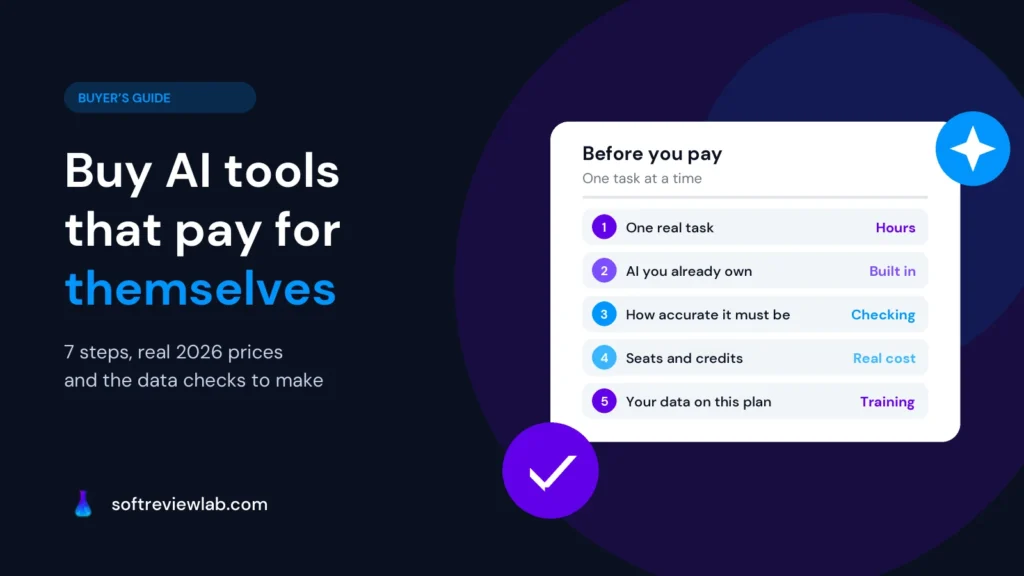
How to choose AI tools for a small business in 2026: 7 practical steps, real prices from 4 vendors, data privacy checks and a one-week trial plan.